

Help / Travel and shops
Travel and shops
Getting around the world and buying what you need.
Home and the Vyrnfall Guide
Home is the road before the gate of Varrock Palace, just north of the Varrock square. New characters arrive there, and ::home teleports you back from almost anywhere.
The Vyrnfall Guide stands there. Click them to open this menu:
| Choice | What it does |
|---|---|
| Teleport somewhere | Opens the teleport list. |
| Browse the shops | Opens the shops. |
| Open my bank | Opens your bank. Works only at home. |
| Heal me | Restores your Hitpoints, Prayer, run energy and special attack. Free. Not during combat. One heal per 60 seconds; members have no wait. |
| More... | What is Vyrnfall?, My starter path, Today's daily tasks and Show me the rules. |
::guide prints a short list of what you can do, and opens the same menu if you are standing at home.
Who else is at home
| Who | What they do |
|---|---|
| Bank chest | Opens your bank. It is beside the road, a step from where you arrive. |
| Vyrnfall Quartermaster | Opens the shops, the same as ::shops. |
| Season Herald | Tells you this season's tasks, featured skills and how long is left. |
| Gate Watcher | Tells you when the Gatewarden is next due. |
Teleports
Type ::teleports anywhere, press Ctrl and ; together, or choose Teleport somewhere from the guide.
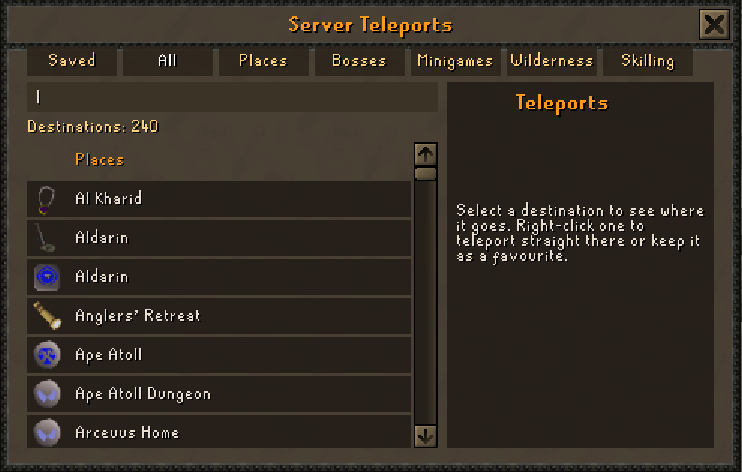
| Tab | Destinations | What is there |
|---|---|---|
| Places | 121 | Towns, cities and landmarks. |
| Bosses | 37 | From the Giant Mole to the Corporeal Beast. |
| Minigames | 27 | Pest Control, Castle Wars, Barrows and more. |
| Wilderness | 23 | Dangerous. Other players can attack you there. |
| Skilling | 32 | Training spots, including the Woodcutting, Mining and Fishing Guilds. |
| Saved | Yours | Destinations you marked as favourites. |
- Click a tab, or type part of a name in the search line.
- Click a destination to read where it goes.
- Right-click it to teleport straight there or to keep it as a favourite.
::teleports last repeats your previous teleport. ::teleports varrock opens the list already searched.
Shops
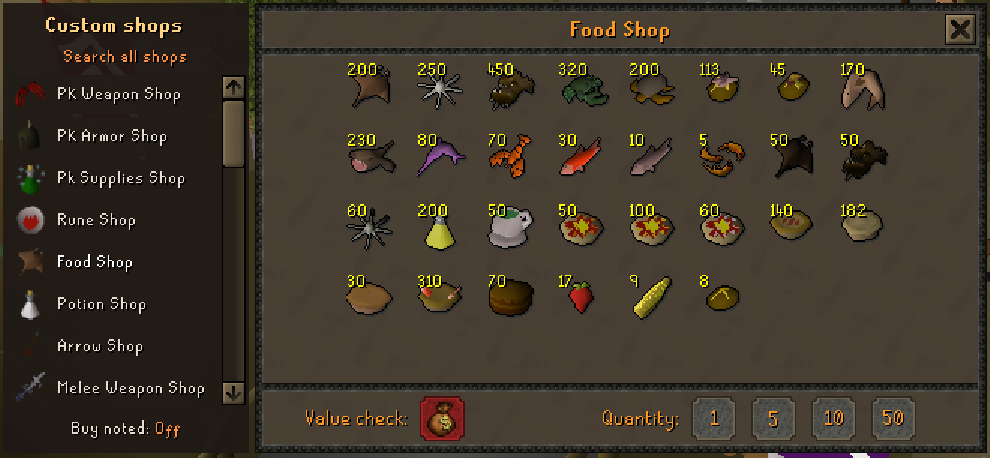
Type ::shops anywhere, or choose Browse the shops from the guide. The list on the left has 27 shops; click one to see what it sells. The number above each item is its price, and the shops never run out of stock.
Searching
Click Search all shops above the list and type part of an item's name, or type ::shops followed by the name, such as ::shops dragon scimitar. The shop with the best match opens, and up to six matches are listed in your chat box with their prices.
Buying
- Right-click an item.
- Choose Buy 1, Buy 5, Buy 10 or Buy 50. Value repeats the price in your chat box.

- The Quantity buttons at the bottom set how many a left click buys.
- Buy noted, under the shop list, gives you bank notes instead of the items, so 50 fish fit in one slot. Notes are swapped back for items at a bank.
- Value check tells you what the items in your inventory are worth.
Buying from this website
The same shops, at the same prices, are on the Shop page of Player login. What you buy there goes straight into your character's inventory.
Selling
With a shop open, right-click an item in your inventory and choose a Sell option. The general rule is that a shop pays 85% of an item's value; Value check shows the exact figure.
The shops
| Kind | Shops | Paid with |
|---|---|---|
| Supplies | Rune, Food, Potion and Arrow Shops; Skilling Shop | Coins |
| Weapons | Melee, Magic and Range Weapon Shops | Coins |
| Armour | Melee, Mage and Range Armor Shops; Amulet, Ring, Cape, Gloves, Boots, and Shields and Off-Hands Shops | Coins |
| Cosmetic | Cosmetic, Event and Ornament Shops; Rares Shop | Coins |
| Vote Shop | Mystery boxes | Coins |
| Vyrnfall Points Shop | Rare gear, supplies and Vyrnfall's own capes and hats | Vyrnfall points |
| Christmas Shop | Festive items | Snowflakes from the Christmas event |
| PK Weapon, PK Armor and PK Supplies Shops | Gear for player-versus-player fights | Blood money, not coins |
The Vyrnfall Points Shop
The Vyrnfall Points Shop, near the end of the list, takes Vyrnfall points instead of coins. The number above each item is its price in points.
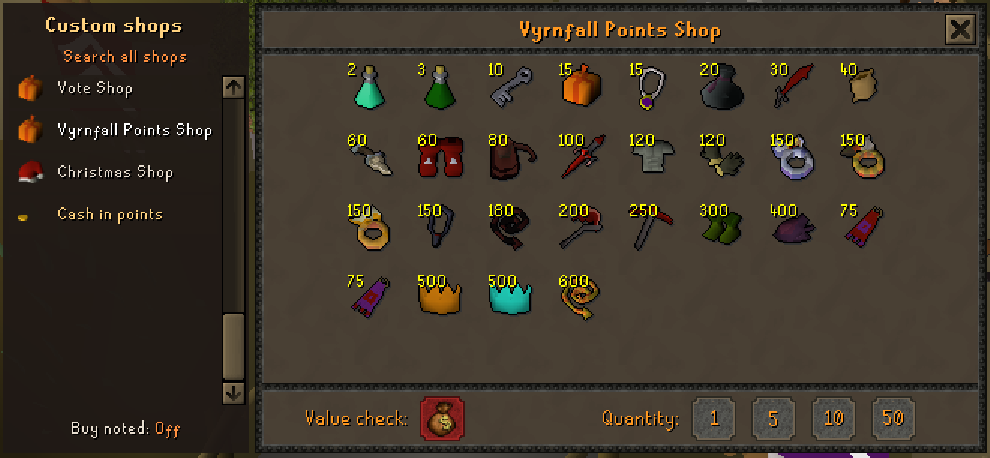
| Item | Points |
|---|---|
| Prayer potion(4) | 2 |
| Super combat potion(4) | 3 |
| Crystal key | 10 |
| Amulet of glory(4) | 15 |
| Mystery box | 15 |
| Looting bag | 20 |
| Dragon scimitar | 30 |
| Herb sack | 40 |
| Dragon boots | 60 |
| Bonecrusher | 60 |
| Rune pouch | 80 |
| Dragon defender | 100 |
| Barrows gloves | 120 |
| Fighter torso | 120 |
| Amulet of fury | 150 |
| Seers ring | 150 |
| Archers ring | 150 |
| Berserker ring | 150 |
| Abyssal whip | 180 |
| Dragon axe | 200 |
| Dragon pickaxe | 250 |
| Ranger boots | 300 |
| Imbued heart | 400 |
| Vyrnfall cape | 75 |
| Vyrnfall amethyst cape | 75 |
| Ember partyhat | 500 |
| Seafoam partyhat | 500 |
| Gilded abyssal whip | 600 |
Cashing in points
Cash in points, at the bottom of the shop list, opens the points exchange. ::exchange opens it from anywhere.
| What you get | Points |
|---|---|
| 10,000 coins | 1 |
| 30 days of membership, added to the end of a membership that is already running | 500 |
| A name change now, without waiting for your next free one | 150 |
The same exchange is on the Shop page of Player login.
The Grand Exchange
The Grand Exchange is where items are bought and sold at market prices. Type ::ge to open it, and ::gecollect to collect coins and items from finished offers.
- Click an empty slot and choose Buy or Sell.
- To buy, search for the item. To sell, click the item in your inventory.
- Set the quantity and the price, then confirm.
- Offers do not always fill at once. Collect the result with ::gecollect or from the Grand Exchange window.
When you open it the game reminds you that prices are live guide prices, that how fast an offer fills depends on your price, and that buy limits reset every four hours.
Trading with players
- Right-click a player and choose Trade with.
- They get a request in their chat box and accept by trading you back.
- Click items in your inventory to offer them. Check what the other player has offered.
- Both players press Accept, read the second confirmation screen, and press Accept again.
Next guide: Progress and rewards